
Why PLA and PETG Jam in Enclosed 3D Printers | Heat Creep
A printer can run perfectly for the first ten, twenty or forty minutes of a job and then suddenly start clicking, under-extruding or stop feeding filament altogether.
When that happens, the nozzle usually gets blamed first.
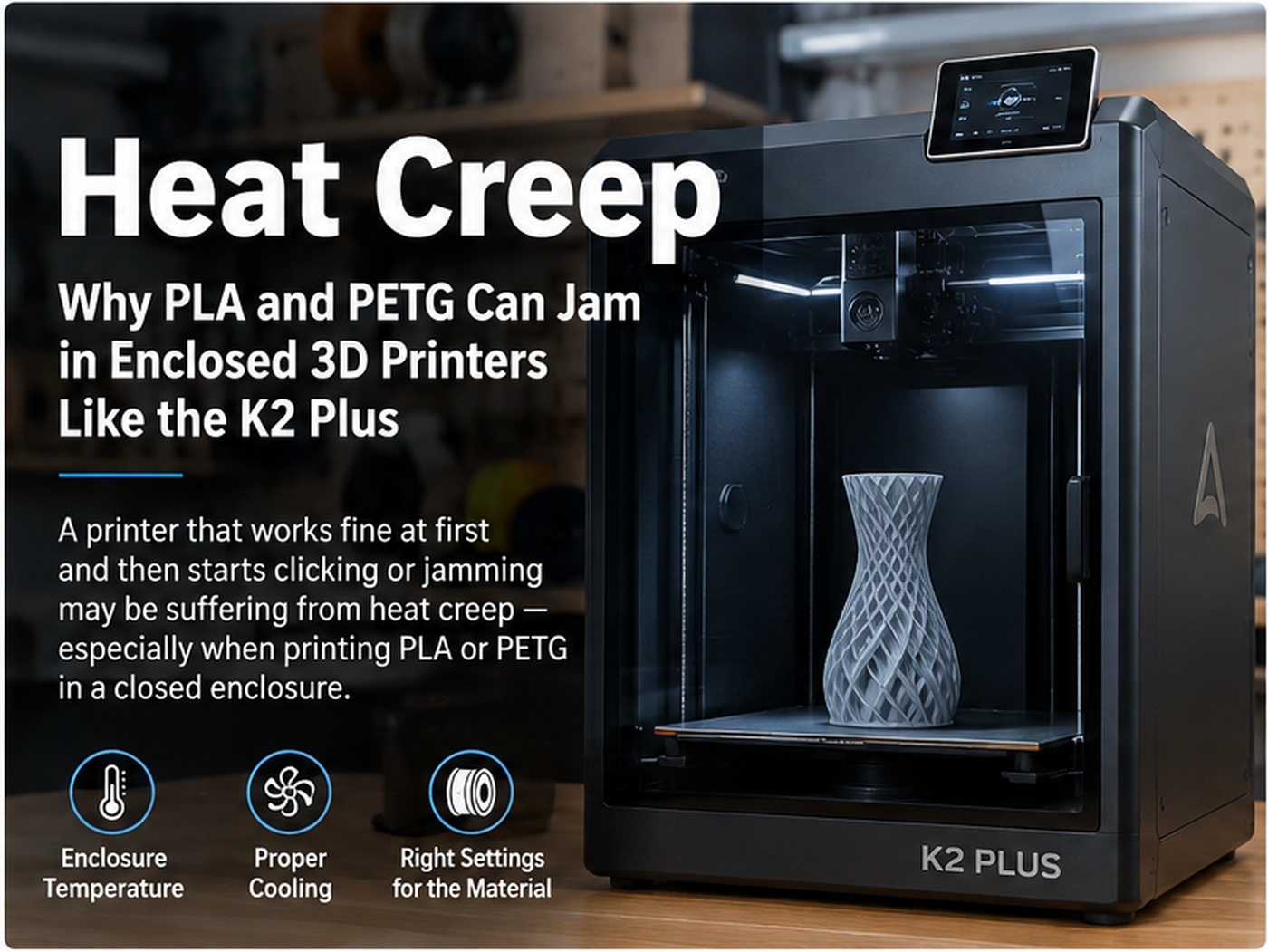
Sometimes the nozzle really is clogged. But on an enclosed printer, especially when printing PLA or PETG, there is another failure mode worth understanding: heat creep.
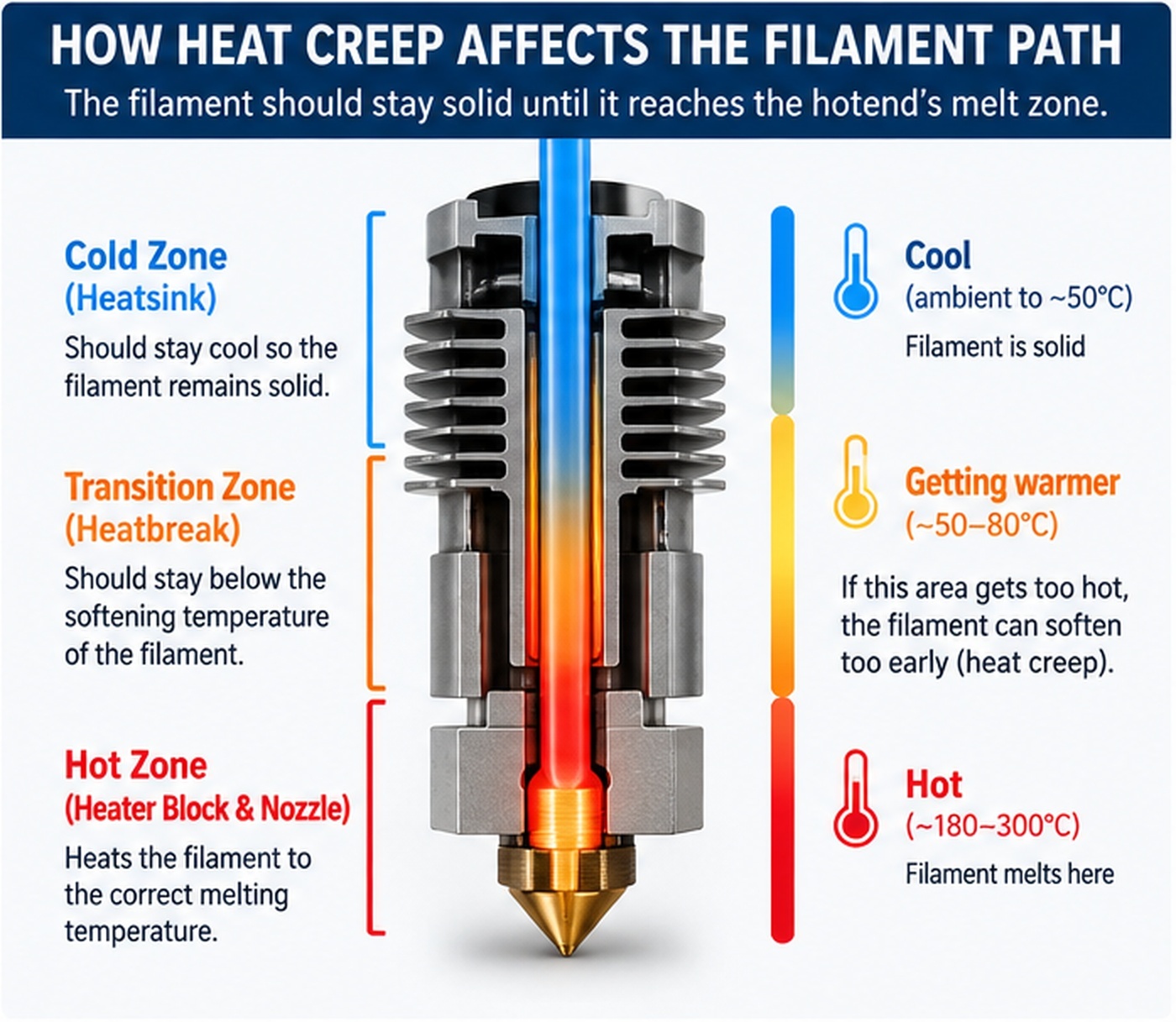
Heat creep happens when heat travels farther up the filament path than it should. Filament starts to soften before it reaches the intended melt zone, expands or deforms inside the heatbreak or extruder path, and eventually becomes difficult or impossible to push forward.
We see this type of problem particularly often when customers run low-temperature materials in a fully closed machine. The Creality K2 Plus is a useful real-world example because it is a large enclosed printer with active chamber control. The enclosure is an advantage for materials that benefit from a warm chamber, but that does not mean hotter is better for every filament.
In Creality's current guidance for the K2 Pro and K2 Plus, PLA, PETG, TPU and other low-temperature materials are specifically recommended at a chamber temperature of approximately 30–35°C. Creality warns that higher chamber temperatures can soften these materials and lead to extruder jamming.
What heat creep actually means
A hotend is supposed to have two very different temperature zones.
At the bottom, near the nozzle, filament needs to become soft enough to melt and flow. Above that, the filament should remain comparatively cool and solid so the extruder can push it into the melt zone with predictable force.
The heatbreak and heatsink exist to keep those two zones separated.
If too much heat moves upward, the transition between solid and molten filament also moves upward. Filament can begin to soften inside an area that was designed to guide a solid 1.75 mm strand.
Once it softens there, several things can happen:
- The filament swells and becomes wider than the path around it.
- The filament bends or mushrooms instead of moving straight down.
- The extruder gears begin grinding or skipping.
- Extrusion becomes intermittent before stopping completely.
- After unloading, the filament may have an enlarged or deformed end.
This is why a heat-creep jam can feel like a nozzle clog even when the nozzle itself is not the original cause.
The classic symptom: it prints properly first, then fails
Timing is one of the best clues.
A hard obstruction in the nozzle or a badly assembled filament path may cause problems almost immediately. Heat creep often takes time.
The printer starts cold enough that everything works normally. As the bed, chamber, toolhead and heatsink absorb heat, the temperature around the upper hotend gradually rises. Eventually the filament begins softening too high in the path.
That can produce a pattern like this:
- The first layer looks normal.
- The printer runs properly for a while.
- Extrusion becomes inconsistent.
- The extruder starts clicking or grinding.
- The printer continues moving but little or no filament reaches the part.
If that sounds familiar, pay attention to how long the printer had been running, what the chamber temperature was, and whether the machine was fully closed.
This also connects directly to our article 3D Printer Extruder Clicking or Skipping? Causes & Fixes. The clicking is often the symptom. Heat creep can be the reason the filament became difficult to move.
Why PLA is especially sensitive
PLA is easy to print partly because it softens at a relatively low temperature.
That is helpful at the nozzle. It is not helpful in the cold side of the hotend.
When an enclosed printer becomes warm enough, the safety margin between “solid filament” and “soft filament” shrinks. The heatsink fan now has to remove heat while surrounded by warmer air, and the filament arriving at the extruder is already warmer than it would be in an open printer.
This is why putting a PLA printer in a sealed enclosure can actually make reliability worse rather than better.
What about PETG?
PETG generally tolerates more heat than PLA, so it is easy to assume a closed enclosure cannot hurt it.
That assumption is not always safe.
PETG usually does not need a hot chamber. The heated bed is already adding a significant amount of heat to the enclosure, and long prints can gradually raise the air temperature around the extruder and heatsink.
Creality's K2 Pro/Plus chamber-temperature guidance groups PETG with PLA, TPU and other low-temperature materials and recommends keeping the chamber around 30–35°C rather than actively heating it.
That does not mean every PETG jam is heat creep. It does mean chamber temperature should be part of the diagnosis.
The K2 Plus: enclosure temperature is only one part of the problem
On the K2 Plus, we have also seen cases where the thermal connection around the hotend assembly deserves attention.
The purpose of thermal interface material is to improve heat transfer between mating metal surfaces by filling tiny air gaps. In the cold side of a hotend, good heat transfer helps move unwanted heat into the heatsink where the fan can remove it.
If that thermal interface is poorly covered, dried out, contaminated or assembled incorrectly, the heatsink can become less effective even when the fan itself is spinning normally.
The photos below are from an actual K2 Plus that was being investigated for heat-related filament feed problems.
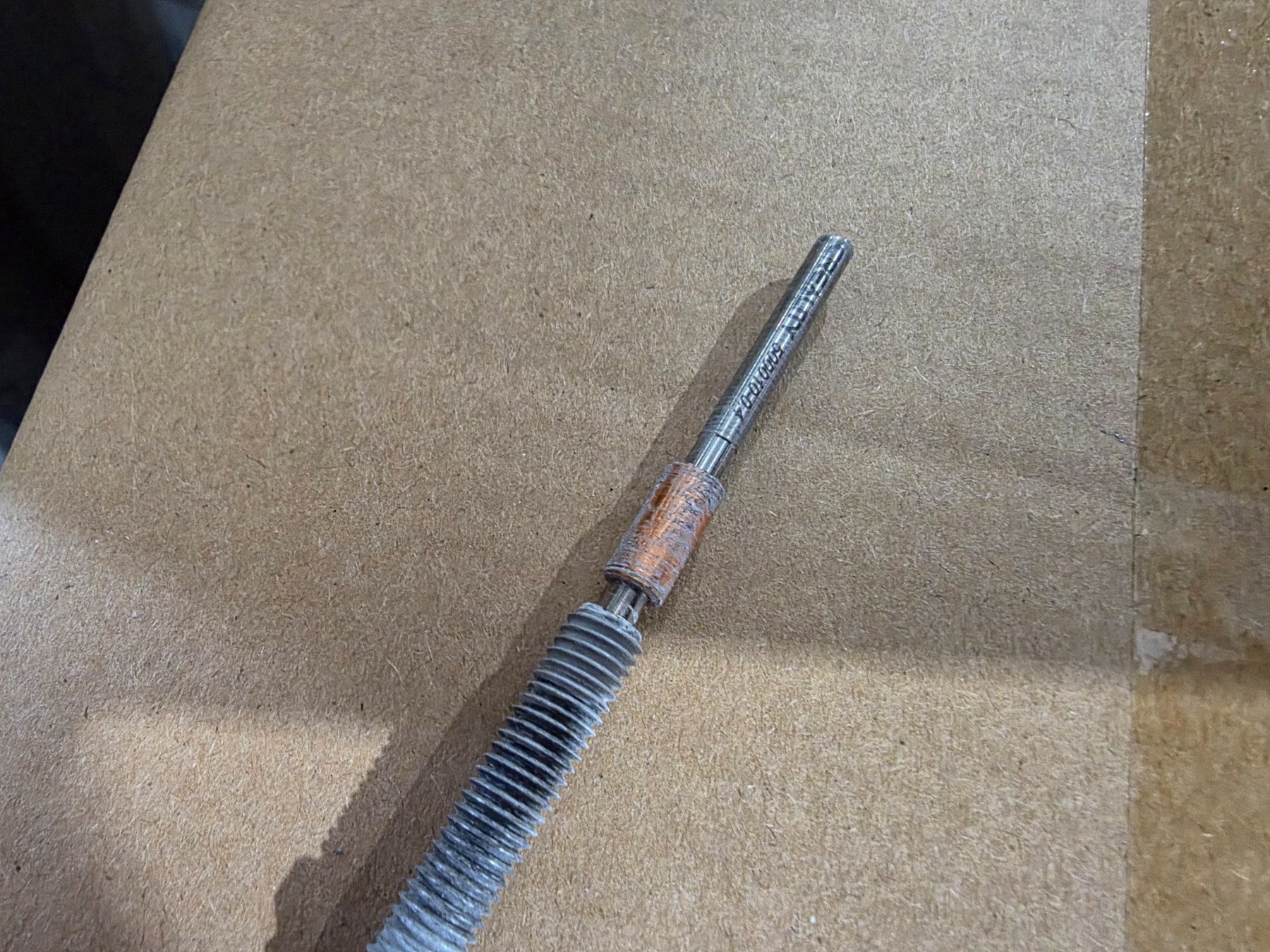
Service example: thermal interface material around the K2 Plus hotend/heatbreak area after disassembly. A heat-transfer problem here can reduce the effectiveness of the cold side of the hotend.
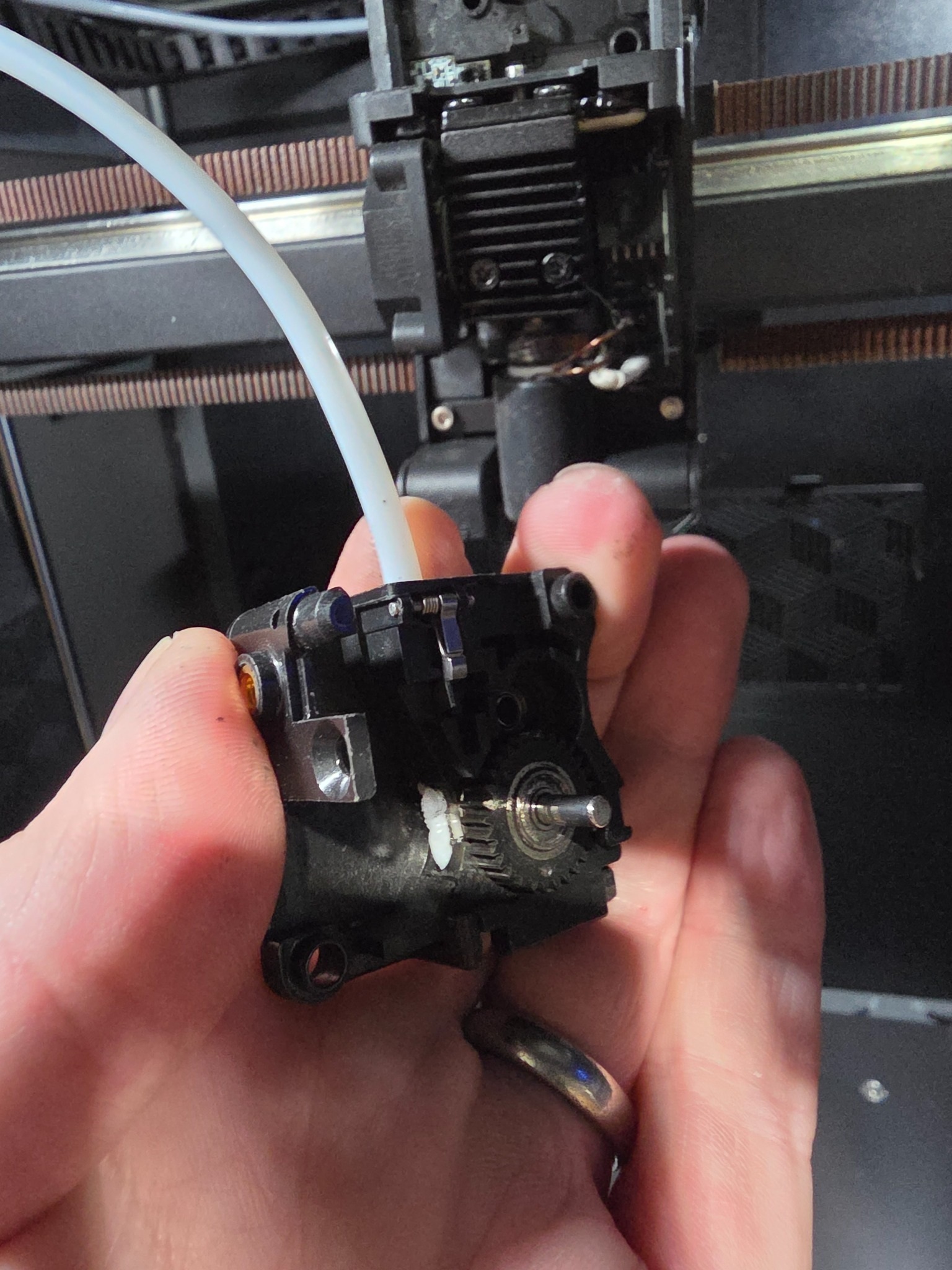
Another view of the same type of interface. The condition and coverage of thermal paste matter because the heatsink can only remove heat that reaches it efficiently.
Creality's K2 Series jam guidance also treats the heatbreak as a separate possible restriction point. In other words, a jam above the nozzle is a recognized failure mode on this platform.
Thermal paste is not a substitute for fixing chamber temperature
It is important not to mix two different problems together.
If the chamber is too hot for the filament, adding more thermal paste does not make an excessively hot enclosure ideal for PLA.
Likewise, opening the door will not fix a heatsink that has poor thermal contact, a failed heatbreak fan, or a mechanically damaged filament path.
A reliable hotend needs both:
- A reasonable ambient/chamber temperature for the material.
- Good heat transfer and airflow through the cold side of the hotend.
Think of it as a cooling system. The heatsink needs to absorb heat efficiently, and then the fan needs to dump that heat into air that is cool enough to accept it.
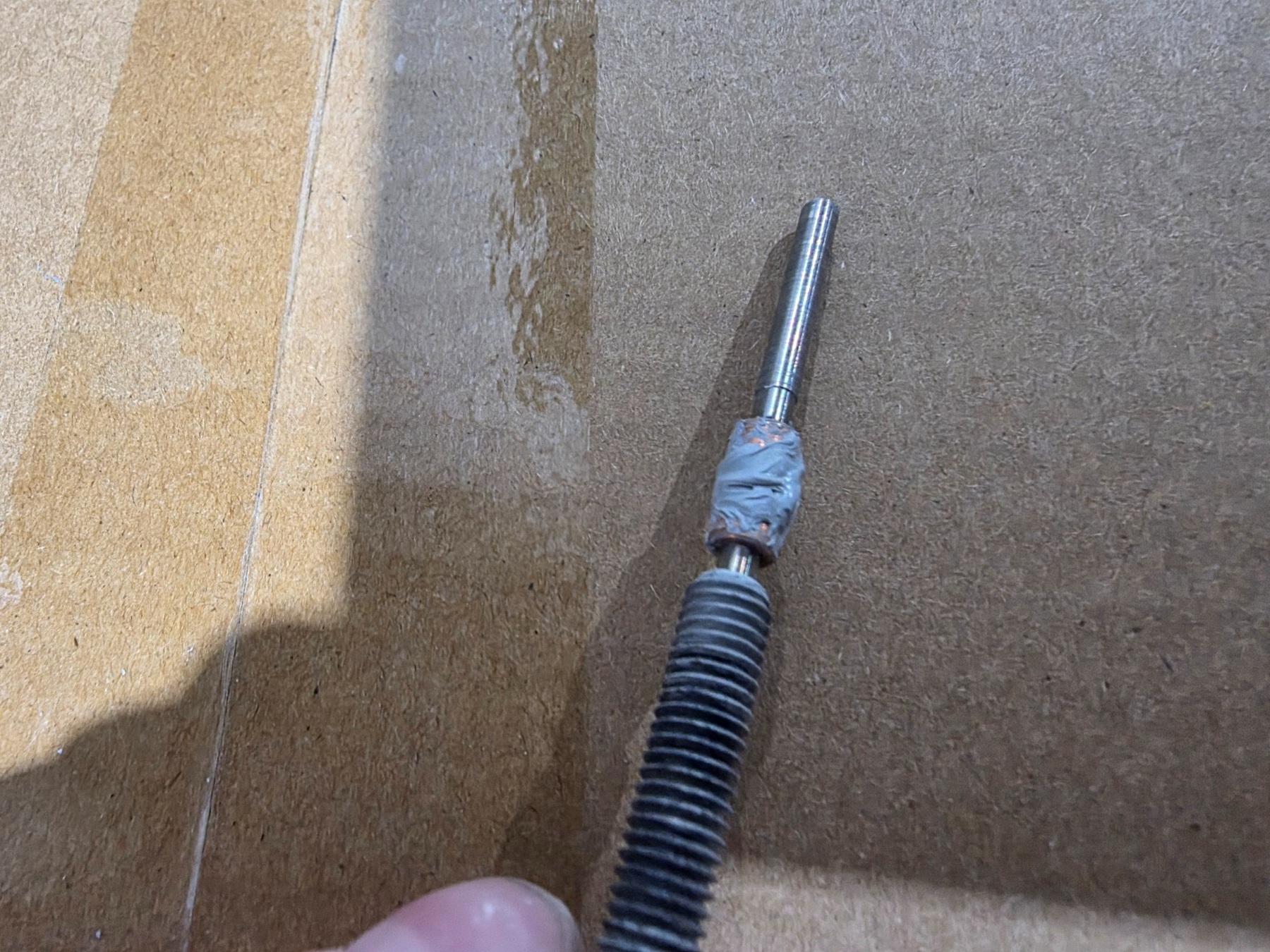
Applying fresh thermal interface material during service. Use only material appropriate for the temperatures and assembly involved, and follow the printer or hotend manufacturer's service procedure.
How to tell heat creep from an ordinary nozzle clog
There is no single symptom that proves heat creep, but the pattern can make it much more likely.
| Symptom | Heat creep more likely | Simple nozzle clog more likely |
|---|---|---|
| Printer starts normally | Often | Possible |
| Problem appears after chamber warms up | Strong clue | Less characteristic |
| PLA fails more often with enclosure closed | Strong clue | Not normally enclosure-dependent |
| Filament end is swollen or deformed above the melt zone | Common clue | Can happen, but less specific |
| Opening enclosure or increasing chamber exhaust changes the failure | Strong clue | Usually little effect |
One of the most useful tests is simply to change the thermal environment without changing everything else.
If the printer repeatedly jams with the enclosure closed, then completes the same material and profile with better ventilation or a cooler chamber, that is meaningful diagnostic information.
What to check first on an enclosed printer
1. Look at chamber temperature
Do not assume that because the printer can heat the chamber, every material benefits from it.
On the K2 Plus, start with Creality's current recommendation for low-temperature materials: approximately 30–35°C chamber temperature.
For PLA in particular, opening the door, opening the top where applicable, or using the machine's chamber ventilation can be an important troubleshooting test.
2. Make sure the heatsink/heatbreak fan is actually doing its job
A fan can spin and still be ineffective.
Check for dust, filament strands, damaged blades, blocked vents, incorrect installation or a fan that is turning much more slowly than expected.
Replacement 3D printer fans are available if testing confirms the fan is faulty.
3. Check the filament path for a heat-related obstruction
If filament has already softened and jammed once, simply cooling the printer does not necessarily remove the deformed material left behind.
There may still be a plug in the heatbreak, PTFE path or upper hotend.
Use the manufacturer's procedure for clearing the hotend. Creality publishes a dedicated K2 Series jam procedure that includes checking and clearing the heatbreak rather than treating every failure as a blocked nozzle tip.
4. Inspect thermal interfaces if the problem keeps returning
If chamber temperature is reasonable, the cooling fan is working and the printer still develops heat-related jams, inspect the hotend according to the manufacturer's service procedure.
Thermal interface material that is missing, dried out or poorly distributed can reduce heat transfer into the heatsink. That can move the effective softening zone farther upward.
Do not use random grease just because it looks similar. Temperature capability and the exact location of the thermal compound matter.
5. Check hotend temperature and volumetric flow
Heat creep and excessive flow can produce similar symptoms for different reasons.
If the hotend is being asked to melt material faster than it can, extrusion pressure rises and the extruder can skip. That is not exactly the same mechanism as heat creep, but the symptoms can overlap.
If the failure happens specifically during fast infill, large layer heights or wide extrusion lines, review maximum volumetric flow as well.
Should you print PLA with the K2 Plus door open?
If you are troubleshooting PLA jams, running the printer with more ventilation is a very reasonable test.
The goal is not to make a universal rule that the K2 Plus door must always be open. The goal is to keep the chamber appropriate for the material.
Creality's current recommendation is more useful than a blanket “door open” or “door closed” rule: keep PLA and other low-temperature materials around 30–35°C chamber temperature.
If a closed machine climbs above that during a long PLA print, improve ventilation. If the printer is already maintaining an appropriate chamber temperature, look elsewhere before assuming the enclosure itself is the problem.
And PETG?
PETG is less sensitive than PLA, but we would still avoid intentionally heating the K2 Plus chamber for ordinary PETG unless the material manufacturer specifically calls for it.
If PETG starts jamming only after the printer has warmed up, try increasing chamber ventilation and monitor the chamber temperature.
The important part is to diagnose the machine rather than treating “PETG” as one universal material. Different PETG formulations can behave differently, and hotend temperature, bed temperature, print speed and flow all affect how much heat ends up in the system.
Do not keep replacing nozzles without finding the cause
This is probably the most expensive mistake in this entire troubleshooting process.
A nozzle that repeatedly ends up clogged may be the victim rather than the cause.
If filament is softening above the intended melt zone, a brand-new nozzle can jam again because nothing about the thermal problem changed.
The same applies to replacing an extruder after the gears have been grinding filament. The extruder may be reacting to a restriction farther down the path.
Before replacing parts, ask:
- Does the problem appear only after the printer has warmed up?
- What is the chamber temperature when it fails?
- Does opening or ventilating the enclosure change the result?
- Is the heatbreak fan moving enough air?
- Is the hotend/heatsink thermal interface in good condition?
- Is there already deformed filament stuck above the nozzle?
Our troubleshooting order for PLA or PETG jams in an enclosed printer
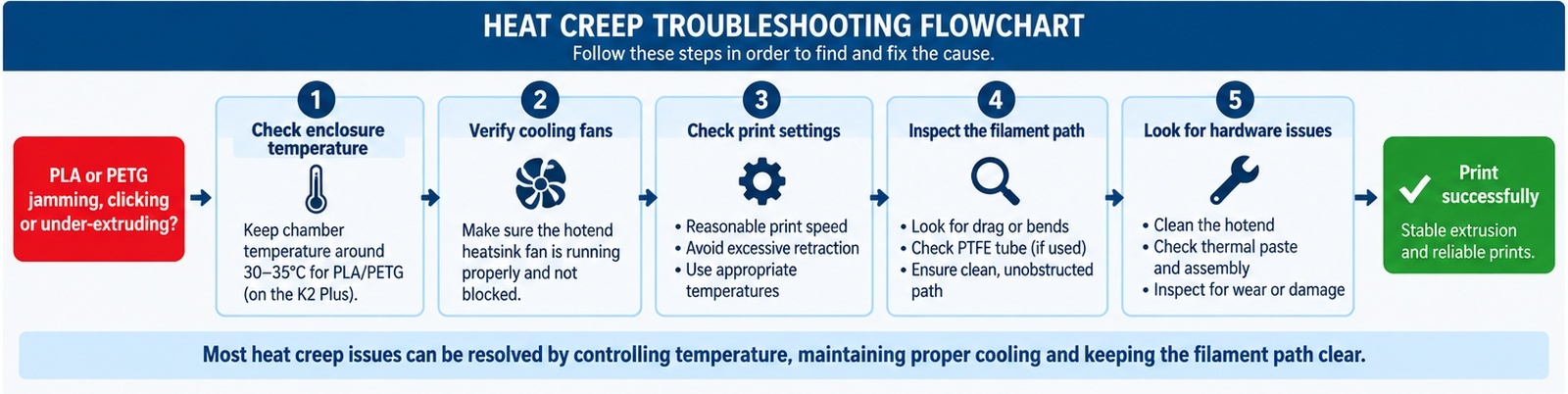
- Record when the failure happens and the chamber temperature at that point.
- For PLA/PETG, make sure the chamber is not being intentionally heated above the material's needs.
- Increase ventilation or open the enclosure as a diagnostic test.
- Verify heatbreak/heatsink fan operation and airflow.
- Clear any existing jam from the full filament path, not just the nozzle opening.
- Inspect the hotend and thermal interfaces if heat creep keeps returning.
- Check nozzle temperature and volumetric flow if the problem happens mainly during high-flow sections.
- Only replace components after identifying which part is actually failing.
Enclosures are extremely useful tools. They make temperature-sensitive materials easier to print and keep the printer's environment more consistent.
But an enclosure is not automatically better for every filament.
With PLA and PETG, the challenge can actually be getting enough heat out of the printer. Once the cold side of the hotend becomes too warm, a perfectly good nozzle can look like it is clogged, a perfectly good extruder can start clicking, and a print that began normally can fail an hour later.
If you have a K2 Plus or another enclosed printer that repeatedly jams after warming up, look at the entire thermal system before throwing another nozzle at it.
Spool3D carries replacement hotends, 3D printer nozzles, cooling fans and other printer-specific replacement parts. If you cannot isolate the failure, our 3D printer repair service in Calgary can diagnose filament-feed and hotend problems on supported machines.
Recent Posts
-
Fix Rough 3D Print Top Layers & Pillowing | Spool3D
The walls look good. The corners are clean. Then the printer reaches the top of the part and leave …October 14, 2026 -
3D Prints Splitting Between Layers? Causes & Fixes for Weak Layer Adhesion
A 3D print can have a smooth surface, tidy corners and a clean top layer, then split the first time …October 08, 2026 -
3D Printer Under-Extrusion: Causes, Fixes & Troubleshooting
Under-extrusion happens when your 3D printer deposits less plastic than the slicer expects. The res …October 06, 2026