
Why You’re Actually Failing Your First Layer: The Case for Heat Soaking Your 3D Printer
We’ve all been there. You spend twenty minutes meticulously leveling your bed, you’ve got your Z-offset dialed in to the micron, and your mesh looks like a flat lake. You hit print, walk away, and come back an hour later to find the nozzle dragging across the plate or the corners of your ASA part pulling up like a stale Pringle.
If you’re running a printer with a thick aluminum bed or an enclosed chamber—especially the newer high-speed machines like the Bambu Lab, Creality, Qidi, or a Voron build—the missing ingredient isn’t more glue stick. It’s patience.
Specifically, it’s a process we call Heat Soaking.
The "Potato" Effect: Why Leveling Isn't Enough
Here is the physics lesson you didn’t ask for: materials expand when they get hot. But they don't do it instantly or evenly.
When your heater turns on, the thermistor tells the printer the bed is at 60°C (or 100°C) within a minute or two. The problem? That’s just the temperature of the heater element itself. The rest of that thick aluminum slab, the magnetic sheet, and the spring steel plate are still catching up.
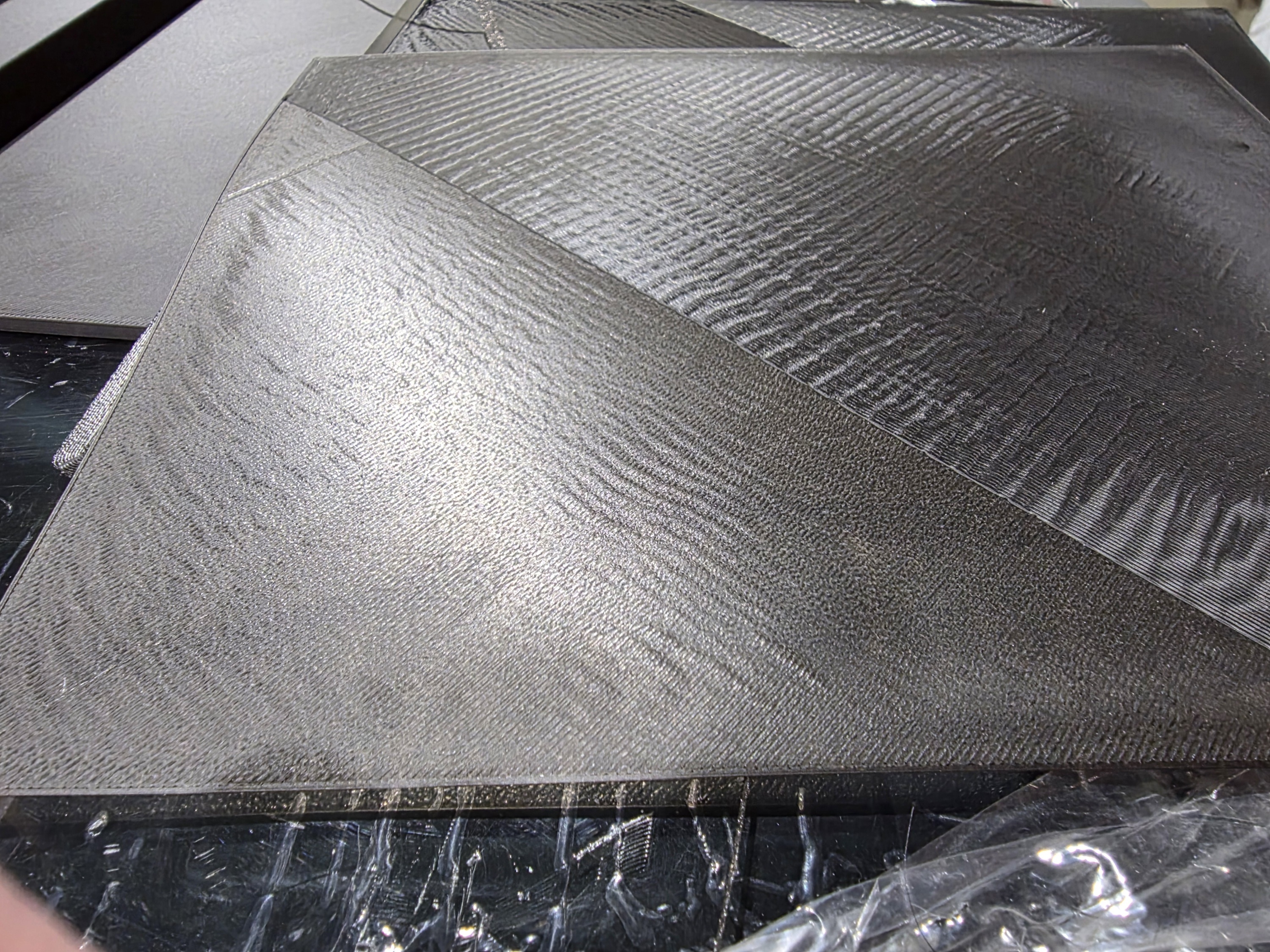
As the bottom of the plate gets hot and the top stays relatively cool, the metal physically bows. If you run your Bed Mesh or start your print the second the "Ready" light blinks, you’re printing on a moving target. As the print continues, the bed keeps expanding and shifting. By layer ten, your "perfect" level from ten minutes ago is gone.
Below is an example of the first 2 layers of a print that was sent and started from a "cold" state. The file is sent, the printer warms to bed mesh temperature and immediately starts a bed mesh measurement. The print starts, but the mesh is not valid as the printer is technically still warming up.
Chamber Temps Matter (Especially for Engineering Filaments)
If you’re printing ABS, ASA, or Nylon, heat soaking isn't just about the bed; it’s about the air.
Cold air is the enemy of layer adhesion. If you start a print in a "cold" enclosure, the air inside will slowly heat up as the print progresses. This temperature gradient causes the top layers to shrink at a different rate than the bottom layers, leading to the dreaded "warp."
By letting your printer sit for 15-30 minutes with the bed at temp and the fans off, you allow the internal air, the frame, and even the gantry to reach a steady thermal state.
Our Quick "Heat Soak" Checklist
At the Spool3D shop, we suggest this routine for any mission-critical print:
- Pre-heat early: Turn your bed on 15 to 20 minutes before you even slice your file.
- Move the gantry: For enclosed printers, move your toolhead to the center of the bed and about 50-100mm up. This helps circulate the heat rising off the bed into the chamber.
- Watch the frame: If you have a chamber thermistor, wait until it stabilizes. If not, just feel the side panels. If they aren't warm to the touch, you aren't ready for ABS.
- Mesh LAST: Always run your Auto-Bed Leveling (ABL) after the soak. A mesh created on a cold bed is a lie.
Below is an example of a 3D printer heat soaked properly before printing. This is the exact same print file and printer from the above picture, except the bed was allowed to soak at 60°C for PLA, 20 minutes prior to starting the print file that begins with a bed mesh calibration. 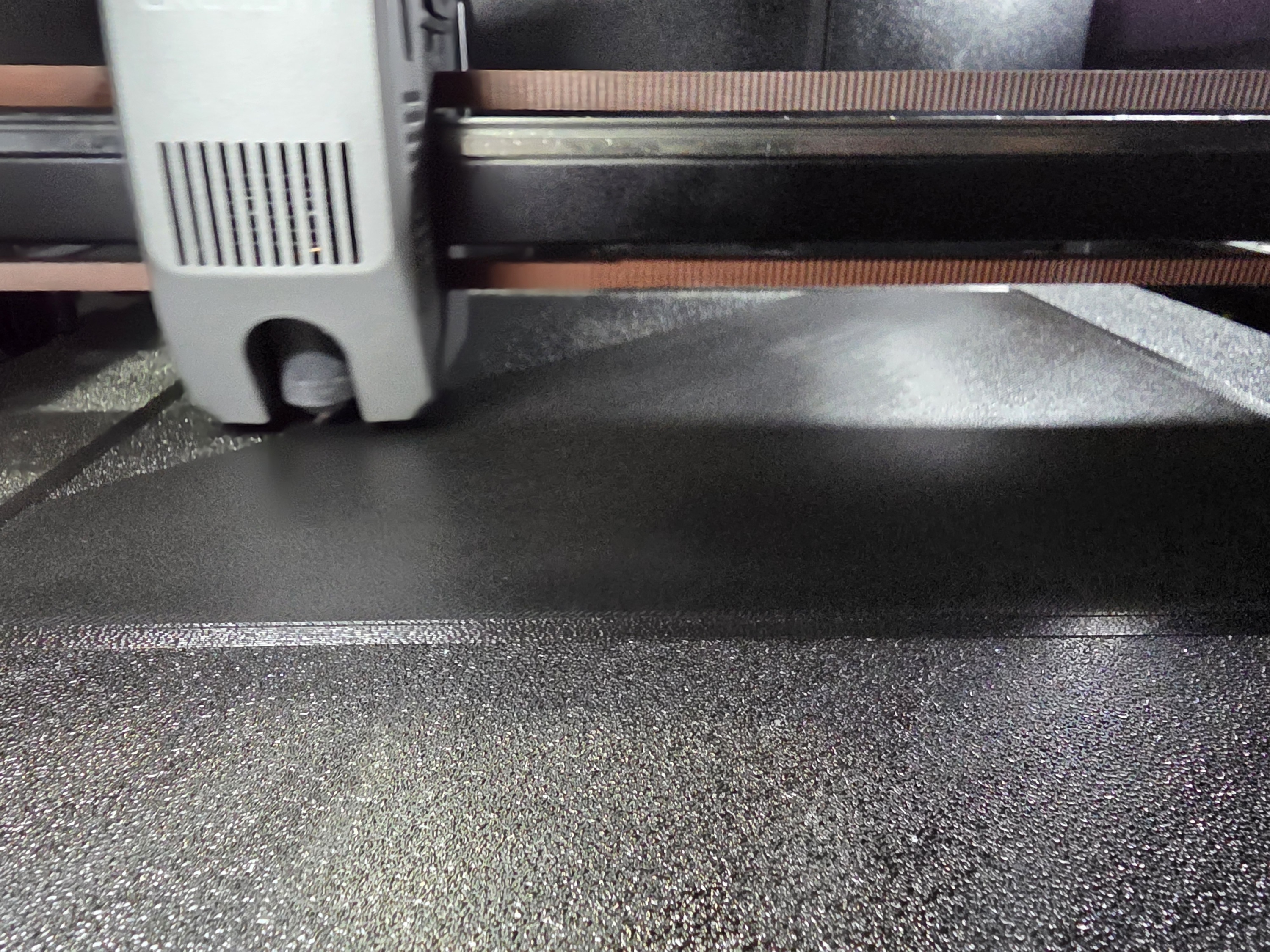
The Bottom Line
Modern 3D printers are faster than ever, which makes us want everything to happen now. But thermal expansion doesn't care about your print speeds.
Remember, the larger and thicker your print bed, the longer your heat soak.
Next time you’re starting a long project or working with high-temp materials, give the machine some time to "sweat." Your first layer (and your sanity) will thank you.
Recent Posts
-
Why You’re Actually Failing Your First Layer: The Case for Heat Soaking Your 3D Printer
We’ve all been there. You spend twenty minutes meticulously leveling your bed, you’ve got your Z-off …February 01, 2026 -
Why Maximum Volumetric Flow Matters More Than Print Temperature in 3D Printing
When evaluating 3D printers or upgrading your hotend, it’s common to focus on the maximum print temp …August 06, 2025 -
The Top Benefits of Starting a 3D Printing Hobby and How It Can Enhance Your Creativity
If you're looking for a new hobby that can enhance your creativity and provide a sense of fulfillmen …June 10, 2023